
Written Android App Review
For those not familiar with Grooveshark, our Android app review is listed below:
Do you wish you could shove all your tunes onto a digital cloud, and then have that cloud around when you’re on the go and need some tunes? If you answered yes, you’re in luck: Grooveshark, by the music service of the same name, wants to give you just that for the Android platform.
Grooveshark
Function
Internet radio apps are a dime-a-dozen in the Android Market, but what if you could individually select the songs you want, and then have them streamed to your Android device? Using Grooveshark your lustful audiophile dreams can finally come to fruition. The mobile app utilizes the same great web service that music cheapskates will likely have been using for years. The service allows users to upload MP3s from their computer, and then stream them off Grooveshark’s website from anywhere with internet. Officially speaking, this means thousands of Indie musicians looking to land a song on the internet now have a home, but it’s likely very obvious how this could be, say, beneficial to music pirates.
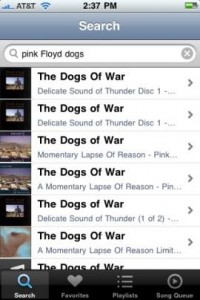
Moral scruples aside, Grooveshark Mobile for Android allows you to make full use of the site, and all from your phone. After signing in with your Grooveshark details—you will need an account—you are free to use the neat icon stack to search for songs, create playlists, and even download tracks for offline use. It’s very simplistic, and if you have preexisting playlists, they will automatically be synced to your phone.
Design and Use
Grooveshark’s design on the Android platform is mostly stupendous, with a few aching flaws. The graphical layout is very easy to peruse, offering neat icons and a simple layout. The in-app music player draws heavily from the stock media player, which actually helps the app feel familiar. Similarly, creating new playlists or adding songs to your queue could not be simpler.
However, the app is wrought with crippling bugs. Grooveshark doesn’t handle changes in cell reception well, so skipping through patchy areas will severally cripple your music enjoyment. Similarly, playback from offline tracks was often slow and sometimes non-existent.
Overall Value
Thankfully, Grooveshark is largely free for the Android platform. I say largely, as the app itself is one hundred percent free-as-in-air, and comes with a two week trial. After that, having tunes on the go will cost you $9 a month with unlimited access to the service. Depending on how much you love the features Grooveshark has to offer, this may be dirt cheap. But considering how often the buggy interface rears its head, you may find the price a bit too steep. Either way, two weeks of free music definitely warrant this app a look, and earn it a hearty recommendation.
This Android app review, as well as the other Android app reviews for droid phones and droid tablets on this site, are brought to you by AndroidAppsReview.com.







