


Written Android App Review
One of the more interesting, and long-lasting, omissions from the Android Market has been an official Google Docs app. Thankfully, that wait is finally over, as the big-G has caved and created a portal through which your documents, spreadsheets, and photos can be perused. You heard it, folks: Google Docs is finally available as an Android app for download.
Function
If you aren’t familiar with Google’s documents service, you have truly been missing out. The longstanding, cloud-based file storage offered by Google Docs is easily world-class, and most of us find our working day impossible without it. Uploading PDFs, DOCs, and spreadsheets saves valuable hard drive space, and also creates a convenient back up of your files: If you’ve ever had a flash drive crash during a presentation, you know just how valuable that can be.
Google Docs
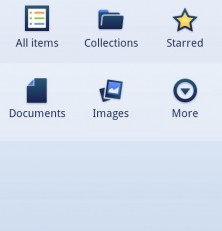
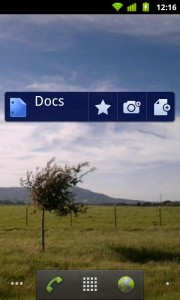
Until last week, however, there were few official ways to access Google’s files from your Google phone. Android has been forced to make use of the (horrendous) mobile site, which felt featureless and banal. Now, with the official release of Google Docs for Android, users can browse and modify documents within the convenience of a snappy interface. The app is fully integrated with your device’s system, and should automate the sign-in process. This means it’s lightening quick to get from your home screen to your documents, even after a fresh install. Another neat feature included in the release is a DroidScan style picture-to-document converter. Scan any sheet, and Google Docs will automatically convert it to an editable doc: That’s the idea, anyway. Occasionally the process tanks, so it’s not yet one hundred percent.
Design
As much of an improvement as Google Docs is over the mobile site, there are still some very odd omissions. For example, users are currently unable to delete documents from their Google Docs account. Perhaps this is done for security reasons, but that seems hard to believe. I’d created a new document while testing in-app creation, and was left afterward with a wholly pointless, and space-consuming, text document. Similarly, new collections cannot be created, nor can documents be moved to other collections from within Google Docs. It’s as if Google wants you to see your documents, but not edit them. Presumably these features can be added in later updates, making Google Docs not yet a lost cause. And as mentioned, the app is still head-and-toes above anything else to come before it.
Value
What are you waiting for? Google Docs is free in the Android Market! If you’ve been itching for a better way to access your Google storage, here it is, ripe for the picking. Even with certain functions missing, Google Docs is still the best at what it does, and it can only improve with updates. It’s functional, fluid, and free: What more could you ask for?
Android Apps Review Details: Google Docs Android app is free. This app requires Android 2.1 and up. You may download Google Docs from the Android Market.
This Android app review, as well as the other Android app reviews for droid phones and droid tablets on this site, are brought to you by AndroidAppsReview.com.








