


Written Android App Review
Goodreads.com, a social networking site for book lovers, recently released a Android app companion application to their website. While the website is great, the application was disappointing at best.
Features
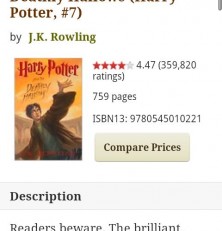
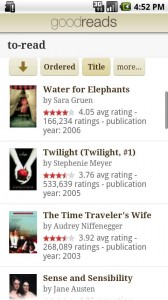
The Android app allows members of the website to view the books they’ve entered as already read, currently reading and to-read. This can be found under the My Books button. From there, the user can sort their data by criteria such as Date read, Title, Date Added, Author, Rating and more. Selecting a book in the list brings up a detailed page for that book including a description, ratings, reviews and a feature which compares prices. Unfortunately, however, this last feature requires visiting the Goodreads website. This is not the best option as loading web pages can be slow and frustrating. Fetching from a database and displaying it within the app would be a much better option.
Since this is a social networking site, naturally there is a Friends button. This allows you to view others you have networked with, see what they are reading now, have read or want to read. I would guess this could lead to book swapping. If person A has a book person B wants to read and vice-versa, they could simply exchange books. This feature also provides updates on friends’ activities. No surprise there, right?
goodreads
Next is the updates tab. This shows a general overview of updates from all of your friends and allows the user to drill down deeper
There is also a button to view your own profile. Why anyone would need this tab on their device is uncertain. It doesn’t allow any changes to the user’s profile – it simply shows basic information, another link to friends and more links to your bookshelf, including a listing of the last books added. Considering the fact that all of these things are in other places in the app, this is yet another waste of space and time for this app.
The most useful feature in the Goodreads app has to be the Search Books tab. From here, a user can search for a book by title, author or both and add books to their profile, read reviews, compare prices and even write a review. Users can also make comments on reviews their friends have made.
Design
Thankfully, the application is just like its website – clean cut and easy to navigate. The soft neutral colors lend a comforting feel and allow the user to focus on the functionality rather than be overburdened by bright colors. Everything is well laid out with one exception – while the large buttons on the main screen are attractive, it would be nice to have tabs throughout the application for faster navigation. As it is now, the user has to back out of where they are to get to another area.
Value
The application and website are both free to join. However, I’m not sure what real purpose this application would have other than perhaps allowing users to find books in their To-Read list while at a bookstore.
Overall, I think Goodreads.com is a fantastic idea. I think their application has potential but features such as a barcode scanner to input books would be handy. Another much demanded feature is allowing group support. Their market description claims more features are coming soon – we can only hope… because right now there really isn’t much point to keeping this app on my phone. There also appears to be a problem with force closing on my tablet upon loading, but once it loads, it stays loaded. This caused immense frustration since my phone wouldn’t allow me to sign in at all. Despite the current redundancy and lack of purpose, this is likely an app which will get better in time and is one to keep an eye on.
Android Apps Review Details: Goodreads Android app is free. This app requires Android 2.1 and up. You may download Goodreads from the Android Market.
This Android app review, as well as the other Android app reviews for droid phones and droid tablets on this site, are brought to you by AndroidAppsReview.com.









