Written Android App Review
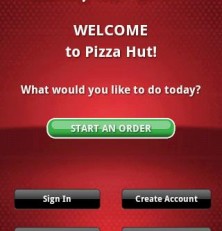
Every Pizza Hut fan has been hungrily waiting for them to release an Android app which would allow direct ordering. Most tech-savvy customers know how to order from the internet but an app has been in high demand for a while. Today, Pizza Hut finally released their own Android app for direct mobile ordering (none of this text ordering garbage). Upon hearing this news, I jumped at the opportunity to try it out – I was not disappointed.
Pizza Hut WingStreet
Features
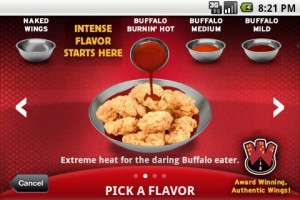
I carved into this Android app review and found that essentially, anything and everything your local Pizza Hut offers is available for order. This includes specialty pizzas, pasta, WingStreet wings, drinks, sides, desserts, special limited time offers and the ability to customize your toppings. The important thing to remember here is that it goes by YOUR local Pizza Hut. So if your store is not a WingStreet store, you will not be shown WingStreet items. I am clarifying this due to some of the feedback in the Android Marketplace. So let’s not get any misconceptions here, okay? Thanks.
So what if you aren’t sure what you want to order? Simply click “Most Popular Items” and quickly see what people are ordering the most. There might be a combination there you hadn’t thought of. Give it a try!
Do you often order the same thing every time? No sweat. The Android app will remember your order history so you can quickly reorder your favorite meals. Don’t have an account? You don’t have to! The app will still allow you to order, even with a credit card. But if you want an account, you can create one from here as well. Away from home? Use the ‘Find a Store’ option to locate your nearest Pizza Hut and even contact them through the app. Oh, and don’t worry, there is also a section for specials and update on new products and deals. Why spend more than you have to, right?
Pizza Hut
Ordering Process
I don’t know about you, but I personally HATE having to call in to order pizza. The employee on the other end is always rushed but yet inevitably takes forever to input my order. I always use a coupon of some sort, and somehow this always throws them off. Inevitably, my order is either wrong or the coupon doesn’t get applied properly and I then have to talk to a manager to fix it. Therefore, I try to order online whenever possible. However, if I’m out and about and just want to pick up a pizza on the way home, I have to call in… see the dilemma? I have often forgone getting pizza for this very reason.
Enter Pizza Hut’s new Android app.
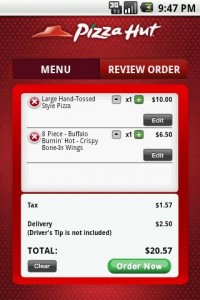
Today, I ordered pizza straight from my phone while sitting in the car before picking up kids from their after school program. It took me a sum total of about five minutes from start to finish. I received a confirmation email confirming my order and when we got there, my food was hot and waiting. Perfection. Ordinarily I would have had to go home first, order the food, run out to get it (I dislike their delivery fee and we live close), and finally come home to hungry, whiney kids. But not today. We came in, kids put away their book bags, and we sat down and had dinner with no rushing around and no complaints. Thank you, Pizza Hut.
Value
If you like Pizza Hut, I think it goes without saying that you will absolutely love this Android app. Whether you’re a college kid who needs a pizza delivered to your dorm, a parent needing to feed a hungry family after a full day of running around, a bachelor just wanting to veg out and play xBox 360, or whatever your situation is, this app will be a lifesaver. So turn on your Wi-Fi (the app is a bit large) and download this right now!
Android Apps Review Details: Pizza Hut Android app is free. This app requires Android 2.1 and up. You may download Pizza Hut from the Android Market.
This Android app review, as well as the other Android app reviews for droid phones and droid tablets on this site, are brought to you by AndroidAppsReview.com.