
Written Android App Review
Ah, MediaFire! That universal uploading site of ill repute where almost anything (and we mean anything) can be found in an ad-studded pinwheel of bliss. If you’ve ever wanted to access the media download hub on the go, you’re in luck: HM Mobile Dev’s MediaFire Downloader is a fantastic (and free) way to get at MediaFire using your Android phone.
Concept and Functionality
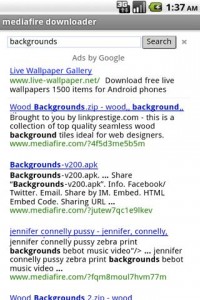
MediaFire Downloader
What MediaFire offers is essentially a front-end to the MediaFire.com website itself. Using the in-app search bar, users are free to enter the title of any file they’re looking for—including track titles or artist names, if downloading .MP3’s is your kick. The app then trolls through the website’s servers and returns an in-house list of download links. Clink on any that look good, and MediaFire Downloader kicks the action straight to the file’s download page in your default browser. This sounds simple, but it really saves a lot of time navigating the website. In a desktop situation, it’s usually half a dozen to several dozen clicks before you can find and secure the file you want. With the mobile app, it’s about a five tap experience before the file is on your Android device.
The app functioned well during my testing: I didn’t experience any bugs or crashes, and the whole thing felt very solid. Transferring to the browser was shaky at times, but I never had a link dropped, and downloads were never cut off during the exchange. Not only that, but downloaded songs were automatically added to my media player. I would have liked to see a bit more offered, as the app is essentially just a big search bar. Having the ability to save links for later—or even share them via social networking—would have been appreciated.
Design
MediaFire Downloader sports a very simple coat. The app offers only two buttons at the main menu, and a single search bar from which all things stem. Tapping Instructions returns an illustrated guide to using the app, which goes a long way toward alleviating any user confusion. The other offering is a green light more or less, telling the app to find what you want.
The simplicity works for the app, though as mentioned before, adding a bit more would take the app from useful utility to all-out downloading center. The returned links are a bare pop-up affair, which could easily have done with a bit of social fleshing out, or bookmarking. The app relies a lot on your browser of choice to finish the deal, as well: Extending to the in-app browser to actually downloading media would be a tremendous boon.
Overall Value
All that being said, MediaFire Downloader is free in the Android Market, and works as advertised. If you need a quick and efficient way to get at downloads, here it is. It’s a basic affair, but it’ll get the job done.
Android Apps Review Details: MediaFire Downloader app is free. This app requires Android 1.6 and up. You may download MediaFire Downloader from the Android Market.
This Android app review, as well as the other Android app reviews for droid phones and droid tablets on this site, are brought to you by AndroidAppsReview.com.








Thanks for the review luke! We always love some positive feedback. And we’ve linked to your blog from our facebook page.
http://www.facebook.com/pages/Hawk-Industries-LLC/113634462039118
Spencer Hawkins
Hawk Industries, LLC
thank you great app
How to download media fire files in mobile ???? weblinks are worked in my phone.. Is there any mobile links for my android ???