


Written Android App Review
There are countless apps in the Android Market that let you sketch, doodle or otherwise mock up some piddley drawings on your screen. Paint Up Android app takes the concept of a drawing app and takes it to the next level.
Ready to see your doodles turn into something spectacular? Download Paint Up and give my Android app review a thorough once over. You won’t be disappointed.
Features
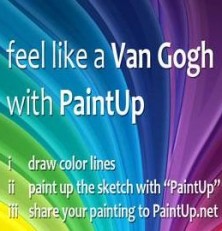
The Paint Up Android app slogan is “feel like Van Gogh with Paint Up.” That sounds like a bit of a stretch, but I think the images you get from doodling in Paint Up are surprisingly awesome.

Paint Up
Here’s how it works. Paint Up Android app presents you with a blank canvas to fill as you see fit. Use two or more colors to draw with your finger. The colors are extremely versatile. You select a color from a color wheel then can adjust the tone up and down manually.
Once you have painted to your heart’s content, tap the menu button and select “Paint Up.” Let the app work it’s magic, and your measly scratchings will be transformed into a picture. The app uses the lines and colors you input to create a much more interesting work. It’s really impressive.
Paint Up Android app also suggests you share your creations on their site, PaintUp.net, where you can peruse other user’s uploads and see your own gallery uploads. You can also save Paint Up creations to your phone’s gallery.
From the gallery you can do what you’d like with your Paint Up Android app creations, however there is no built in Facebook, Twitter, email or Tumblr support. Still, I think this app is awesome.
User Interface

Paint Up
I’ve already mentioned that Paint Up Android app’s color selection user interface is easy as pie, however I do want to say that this app makes very efficient use of space.
The drawing surface is not cluttered by any buttons or options. To access any menus you must press your Android’s menu button. That’s really very nice when you are trying to be creative.
Saved Paint Up files created their own folder in my Galaxy S phone’s gallery, but I can also reach them through my file explorer.
Value
Paint Up Android app is ad supported, which is understandable, since it’s free to download. I think the Paint Up app is charming and fun. My nieces and nephews really liked it, and after a few days of tinkering with it I wasn’t bored either. It will be staying on my Android device, and I think the app is high quality for zero cost. Go get it.

Paint Up
Android Apps Review Details: Paint Up Android app is free. This app requires Android 2.1 and up. You may download Paint Up from the Android Market.
This Android app review, as well as the other Android app reviews for droid phones and droid tablets on this site, are brought to you by AndroidAppsReview.com.











I also think paint up is incredible!
I absolutely love this app!! My husband is also addicted to it..we both use the app on my Android phone as well as my Samsung galaxy media player however we have never been able to upload any of his pics! After we finish we select gallery but it only takes us to the site..our pics are not there & site has no save option..so I dont know whats up with that..still the best app out there!