


My Takeout Menus: Written Android App Review
We can’t say for certain, but if we had to hazard a guess, we’d be willing to bet you’ve got a drawer full of takeout menus somewhere in your home. Furthermore, we’d also be willing to bet that said drawer is more often than not a bit hard to sift through when it’s at the end of the day, and you desperately just want some pizza. If this situation sounds at all familiar, then boy have we got the app for you! My Takeout Menus by developer TVFoodMaps makes it simple and efficient to digitize that entire drawer of menus, making it even easier to sift through them when you’re ready to place an order. All in all, My Takeout Menus offers a stellar chance to streamline your life, and you can check out our entire thought about the app by jumping on below the break!
Concept and Functionality
My TakeOut Menus for Android
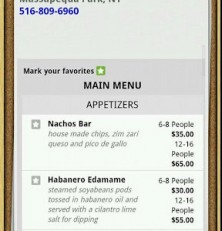
The idea behind My Takeout Menus is deceptively simple: The app allows you to create new, digital menus for each restaurant you visit often. Once you’ve started a listing, you can enter a simple phone number or name and area, and My Takeout Menus will do the rest. The app adds a phone number (if you didn’t supply one) as well as a street address to the listing. You can even peg if the restaurant delivers or not. If the app can, it will automatically download an entire menu off the venue’s website. If it can’t, My Takeout Menus still makes it easy for you to take a view snapshots of the menu. These are added to the listing, and then you’re left to tie the whole thing off by adding a genre to the menu—Chinese, American, etc. With that finished, the menus is now complete, and can be viewed whenever you so desire! Throw away the paper, as you’re only a few repeated steps away from having your takeout library digitized in its entirety.
Design and Layout
Best of all, the app looks simply gorgeous on our Android phone. My Takeout Menus makes heavy use of a post-it note feel and pegboard tone that we dug immensely. Furthermore, we simply loved the small touches, like a rotating takeout wheel that will randomly shuffle and select the menus you’ve created. It’s like using Urban Spoon, but only with restaurants you typically frequent. Overall, we can’t find a single complaint with the app, especially as its Internet functionality is spot-on, and never once gave us problems. Top notch stuff, lads.
Overall Value
Even better, the app costs a scant two bucks in the Android Market. For that money, you’ll get the most convenient way we’ve ever seen to streamline that drawer full of menus, and improve the speed with which you get food delivered. For that, we’d be willing to pay one heck of a lot more. All in all, My Takeout Menus is a must-have for any urban living individual.
Android Apps Review Details: My Takeout Menus is free. This app requires Android 2.1+ and up. You may download My Takeout Menus from the Android Market. A small expedite fee was paid by the developer to speed up the publication of this review.
Android App Review, Android Productivity App Review
This Android app review, as well as the other Android app reviews for droid phones and droid tablets on this site, are brought to you by AndroidAppsReview.com.











