Price: Free

Gallery & Apps Lock Free: Android Apps Written Review
Gallery & Apps Lock is a new data protection app for Android. Released by developer Migital, this free app offers a unique ‘protection’ service for your personal info on Android. Come with us as we take a look at Gallery & Apps Lock for tablets and phones running Android.
Features
Have you ever wanted to keep some photos on your Android tablet or phone hidden or secured with a password? Maybe these photos were a little, ahem, scandalous, and were best kept from prying eyes. Or, perhaps, you would rather just add another layer of security to your device. Whatever the case, Gallery & Apps Lock is here to help with such tasks. Using this app, you can easily change the status of your gallery images to hidden, or even more secure with the encrypted option. Adding in yet even more security is the ability to restrict access to your apps! Sure, Gallery Lock focuses on images, but don’t let that distract you from checking out the app security features as well. All it takes is a simple tap of the finger and you can restrict access to both your native and your downloaded app. The secured methods to use include finger swipe patters, number code, or voice command. Finally, you can even hide the Gallery & Apps Lock app to throw in yet another layer of security! All in all, it’s a very impressive set of features in a free app. The only downside is the limitations put in place by the free version, as the full version ($4.99) is required to turn off ads, access all securing options, remove limitations on numbers of photos restricted, etc.
Appearance and Layout
Gallery & Apps Lock App Review
Gallery & Apps Lock looks really sharp on Android. All the menu items are easy to access and the layout of Gallery & Apps Lock allows for very easy browsing. Securing your data may sound somewhat intimidating to others, but Gallery & Apps Lock puts some safeguards in place and the process to do so isn’t too difficult to find out.The ‘browse apps’ and lock ’em menu is very straightforward-simple tap the ‘lock’ icon to restrict access to the apps you want to secure, divided by Native and Downloaded apps. Furthermore, it’s easy to hide your photos-just go through the browser mode and tap either Hidden or Encrypted. Overall, Gallery & Apps Lock looks fantastic on Android and sports a readily-accessible layout for all users to enjoy.
Value
For a free app, albeit one with a pro/IAP service, Gallery & AppsLock is a pretty outstanding app. Being able to secure not only your gallery, but also apps is a neat tool to have in one’s repertoire. Furthermore, Gallery & Apps Lock doesn’t just limit it to one mode of securing: users have the option to hide or encrypt such files. The fuller version is $4.99 but is worth considering if you are impressed, as we were, with Gallery & Apps Lock for Android.
 Android Apps Review Details: Gallery & Apps Lock is free. This app’s Android requirement requires 2.2 and up. A small expedite fee was paid to speed up the publication of this review
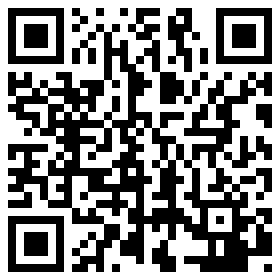
You may download this app from the Android Market.
“The best Android apps are reviewed by AndroidAppsReview.com“