The cloud has revolutionized file storage. Instead of storing important documents on a bulky hard drive, consumers can now save everything they want in one centralized virtual location that’s accessible anywhere, from any device. Because everything is saved remotely, there is never a need to worry about running out of space on a server or losing everything by spilling orange juice on the CPU. The following five cloud-based Android storage apps will let you put your computer in your pocket.
1. Dropbox
Dropbox is the perfect app for anyone who wants to store, revise and share files easily from their phone. It allows you to organize your photos, documents and videos, and it even shares the revision history of each of your files. Once you save a file to Dropbox, it is instantly transferred to your Android device in the Dropbox cloud.
Many entrepreneurs have had so much success with this app, their businesses are considering using it to replace server-based file management systems. Consumers can get more information at Dropbox.com, and the app is available for free from the Google Play store.
2. Mozy
Mozy offers Android users secure online storage and syncing through its Stash product, which ensures all of your files are up-to-date regardless of where they were created, modified or saved. Available for free at the app store, the free Mozy Android app is just one of the many backup and syncing tools offered by Mozy.com.
3. CX
CX is a great app for someone who needs a lot of cloud-based storage at a low price. The company offers up to 10GB for free, and users can get an additional 6GB for referring a friend to CX.com. Its fee-based plans cost up to $24.99 per month and offer up to 175GB of storage. CX stands out for its collaborative features, which include groups, password protection of files and chat.
4. SugarSync
Like most of the cloud-based Android apps, SugarSync allows you to save all kinds of data and access it from anywhere, including your PC or Android device. SugarSync offers 5GB of storage with the free service, and clients can get even more storage if they opt for personal or business plans. Personal plans start at just $7.50 per month, and business plans may cost as much as $55 per month, but the company offers a 30-day free trial. SugarSync has one of the best searching features, and it can easily be used whether you are off or online, Freemake reports.
5. Box
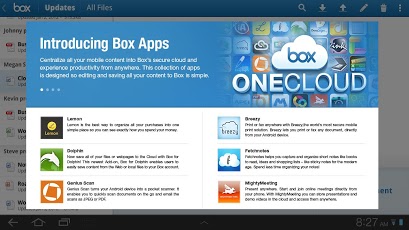
Box allows you to access all of your files on your Android device. Whether you need to check a stat from a report, review your upcoming presentation or add a new idea to your novel in progress, you can do so easily using the Box app. You can move saved data from your SD card to the Box and back again easily. When it’s on your SD card, you can access it even without coverage. A built-in search feature makes it easy to find anything. The Box OneCloud mobile app ecosystem lets you access and modify your Box files on other apps. Currently, 92 percent of the Fortune 500 companies use Box, according to Computerworld. More information is available at Box.com, and the app is available for free at the Google Play Store.
What is your favorite cloud storage product to use on Android? Tell us in the comments.
About the author: Jasmine Perez
Jasmine lives in Mesa, Ariz., with her two cats and pug named Spike.
“The best Android apps are reviewed by AndroidAppsReview.com“