

Price: Free
Rating: 

Smart PDF Scanner for your docs and receipts on the go
Android App Review by AndroidAppsReview.com
Reviewed by Arshdeep Singh
Even though advancements in technology have taken us far beyond the use of paper in many situations, there are still times when it’s necessary, or just makes sense, to make use of printers and scanners. For example, suppose you are out on a business trip and you have a really important paper or receipt that you need to scan. What do you do? That’s an example of when Smart PDF Scanner, from Softxpert, Inc., comes to the rescue.
Features:
This usefulness of this application has been recognized by the CES Mobile Apps Showdown judges and it has also won a People’s Choice award in 2014 for its unique and helpful functionality.
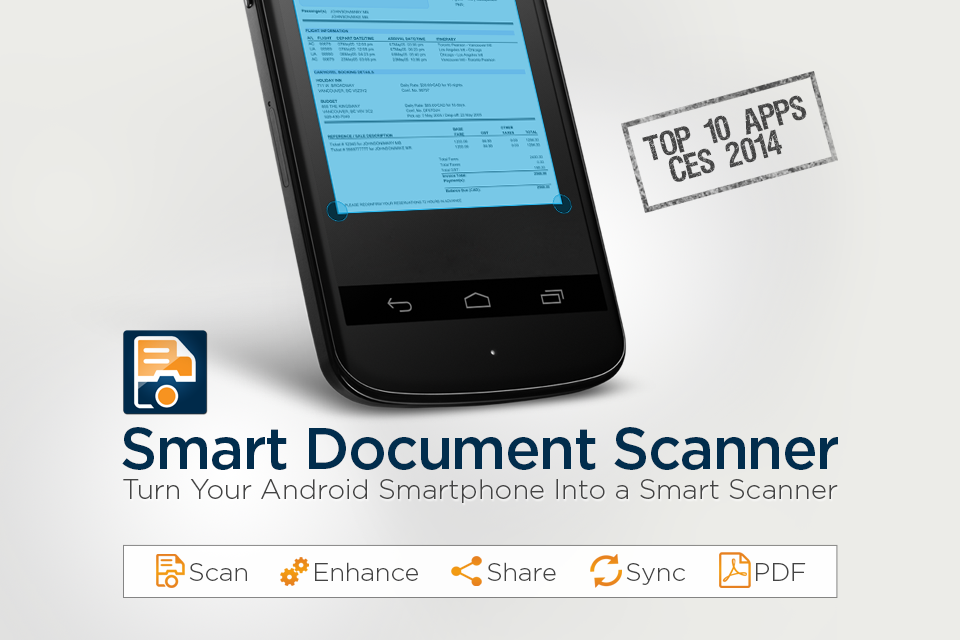
You can use this smart document scanner to scan, enhance, convert pictures to PDF, OCR, create PDF’s, and create invoices, bank statements, receipts, contracts and more. And of course, over all of this you can password-protect them.
Moreover this application allows you to sync all your documents to your Google Drive for backing up and future proofing. You can even use annotation, starred view and a multi-level filling system which make this application even more handy and useful.
Smart PDF Scanner Android App Review
Another distinguishing feature in this application is batch scanning mode which makes it really easy to scan large number of documents very easily and in no time.
Smart PDF Scanner also has its own built-in camera that has been specially designed for scanning documents. After you scan a document you get various options to apply cool effects to the image along with excellent photo editing software. Other handy features include being able to create folders and save a series of documents separately so that they are organized as you like.
It is import to point out that the free version limits you to 10 scans and 5 annotations per month, syncing to Google Drive requires reviewing the app, and PDFs that you created will have a watermark. To avoid these limitations a full version is offered for $4.99/year. Still, the free version gives you enough to see the quality of the app and determine its usefulness.
Design:
You can see in the screenshot that the developers have done a great job with the app’s design; it looks great and, more importantly, is easy to use. In some ways it resembles the design of Google Drive and I think that’s a good thing since I love that design too. Other thing that I really appreciate is the ad free interface since those ads quickly become irritating later.
If you are wondering to use this application on your tablet then don’t worry, the developer has optimized it for that interface too.
Value:
I tried this application for quite some time and I must admit it that it is really great application and saves you a lot of time. The app loads quick, is responsive, and was easy to work with. As this app is offered for free I would recommend you to give it a try. Smart PDF Scanner is one of those apps that you need to download and keep on your Android device so you have it when you need it.
 Smart PDF Scanner requires Android 2.3 and up. A small expedite fee was paid to speed up the publication of this review.
AndroidAppsReview’s rating:
Find your next Android game at AndroidAppsReview.com
What do YOU think? We’d love to hear your comments, try it and let us know!







A good app to scan and keep documents. Syncing across devices is so handy. Thanks,