Do you know how much exercise it’s recommend that you get each week? The CDC recommends that adults get 150 minutes (2 and a half hours) of moderate intensity aerobic exercise weekly, in addition to some muscle strengthening exercises. If you want to do this (as you should), consider getting an app to help you stay on schedule with your workouts. That’s where CardioTrainer comes, from WorkSmartLabs.
Features:
When you startup CardioTrainer, you’ll be asked several setup questions. The app also recommends you download and try ‘noom’, a weight loss app. Skip these if you aren’t interested and get started with the main layout of CardioTrainer.
The intro screen allows you to choose from starting a workout, viewing your workout history, adjust settings, viewing your friends activity, or getting cardio trasiner pro or noom. There is also a widget button that is addable. If you scroll to the right of the screen, you’ll get several more options. These include racing, help, world high scores, log workout and ‘move your bot’ (another suggested app to download).
CardioTrainer
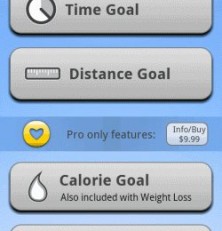
When you choose to set up your workout schedule, you can choose from a huge array of different activities. Some of these are walking, running, biking, stationary biking, aeorbics, boxing, climbing stairs, jump rope, nordic walking, team sports and much, much more! I was pretty impressed with this very large list of activities, some of which I have never heard of before (nordic walking?). Then, you can choose the time of day and the distance or length of time you want to plan for your workout.
When you actually start a workout, you can select from different music to play (from beats you’ve uploaded to your Android). The app has a GPS tracker that keeps track of your steps and path, allowing you to trace your route. Calories burned, steps taken, distance (in km), and latitude/longitude is all shown on screen. Some of these options do vary based on workout selected, but the sheer number of options is really impressive. I did have a little bit of trouble in getting the ‘steps’ to actually work, although this may depend on the type of workout being done.
The app allows you to choose if you want regular workout reminders. If you select this option, you can get a color-coded workout schedule reminders, with four different status’. You can also elect to show the ‘calorie medals’ as a way to motivate yourself, from 300 cal to 2000 cal. These will be viewable in the top bar, even when you aren’t running the app, as a friendly encouragement method. There’s a handy weekly calendar at the top of the screen that allows you to click on a day to start setting up a routine workout schedule.
Graphical Layout and Sounds
Browsing through CardioTrainer is quite easy. I was able to setup a workout schedule right from the start. There is quite a few linked apps to CardioTrainer, which can be pretty annoying at first, but you’ll figure out how to use or to avoid them after a while. Also, as it is a free app, there are some scrolling ads across the bottom screen. The colors and the contrast design works nicely in CardioTrainer, and this app looks considerably better than many other apps on the Android Market.
Being able to view the world highscores was an interesting addition to this app. When I viewed it, the top ranked person in the last 7 days in the US was someone who had walked 320 km. That’s pretty impressive! You can also add comments if you are on the leaderboards, like “workout harder.”
Value
For those looking for a swell workout app, CardioTrainer is a pretty sweet deal. It’s free with a lot of options for aerobic fans. It can be hard to maintain a regular workout schedule but CardioTrainer makes it easy with up to date reminders. It’s hard to beat the features of CardioTrainer and I think it’s definitely an Android app to check out!
Android Apps Review Details: CardioTrainer Android app is free. This app requires Android 1.5 and up. You may download Prey from the Android Market.