

Android Superpowers
Android System Review by AndroidAppsReview.com

If you’re in the need of any specific or non-standard Android capabilities that your can’t effortlessly and easily find right away, we just might have some tips to get you going.
Android’s hidden settings menu is the key to your Android Superpowers and a wealth of functionality that can supercharge your developer capabilities, if you know what you’re doing.
No matter if you’re hunkered down in Estonia texting about the an upcoming flash mob, or just debugging your latest Python script, Android’s settings, many of which are hidden, are your ticket to a more productive, and safer, online life.
If that’s got your interested piqued, then keep reading for our full rundown of these powerful options.
It’s all about the developer mode built into the Android operating system that runs on your smartphone.
The developer mode gives you outrageous superpowers by design. Google knew what they were doing when they built this level of control into Android so developers could perform activities not possible by pedestrian users.
One key capability allows devs need to test their apps on Android, but its usefulness goes beyond that. Once you have the menu opened up its tantalizing options are revealed to let you check how your device is performing, troubleshoot problems, get a closer look at how Android works, and more are right at your fingertips.
But proceed with caution, don’t go rushing in where angels fear to tread.
Actually these tweeks are so incredibly simple once you know where to find them. You could argue it’s way to easy to f#$% things up. But again, that’s by design so make sure you know what you’re doing before diving in head first.
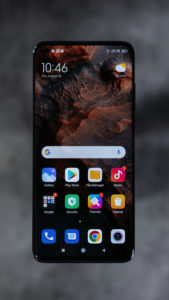
OK, warnings done, where are they?
Developer Mode, the source of your Android Superpowers, is found in Settings. Go there and choose About phone. After that, tap the Build number entry seven times. Wait, what? I know, this is more like a Voodoo incantation, but fear not, if you’ve read this far, keep reading.
During this process you’ll see a countdown telling you that you’re about to turn developer options on. Ignore the tingly feeling down the back of your neck.
Once that’s done go to the Developer options menu under System/Advanced. After exploring a bit we suggest you disable Developer Mode to avoid inadvertent problems. To do this turn off the toggle switch at the top of the menu, and the options will disappear.
The first thing to do is check what apps are using what memory. You can also force your phone to stay awake with the Stay Awake toggle. One of the coolest options though is the ability to spoof your location.
The Select Mock Location App option lets you set your phone’s GPS to somewhere other than your current location. To take full advantage of this option you can use an app like Fake GPS Go Location Spoofer.
After these playful diddles you get to the meat of the matter, the options that are truly for developers to do the things they have to do. These options include OEM Unlocking (used to sideload unauthorized apps or replace Android with an alt OS) and USB Debugging, which lets you control your Android phone with a connected computer.
But its not all about what you can do, it’s also about what you know. Show Refresh Rate, Show Layout Bounds, Show Taps and Running Services are all sources of vital information for anyone trying to get their app running and, once it’s running, optimize it.
In this regard you’ll also want to play with Window Animation Scale, Transition Animation Scale, Animation Duration Scale, and Force 4x MSAA (multi-sample anti-aliasing) - useful for optimizing the look of animations and 3D graphics.
If you’re serious about developing Android apps you need to get comfortable with these settings that open up your Android Superpowers so you’re not like the proverbial bull in a china shop.

AndroidAppsReview’s Rating: 

Find your next Android app at AndroidAppsReview.com
What do YOU think? We’d love to hear your comments, try it and let us know!









yes i use https://play.google.com/store/apps/details?id=com.shradhanjali.card.maker