DALL-E 2
Price: FREE
Rating: 
Web App Review by AndroidAppsReview.com
Let me start by saying I have nothing at all against stock photography and, in fact, have used it on several occassions for illustrations in articles I have written. Recent advances in AI generated images, however, provide exciting options for those times when you either want a simple generic image or something fantasical that could never be photographed.
DALL-E is one such option. It is an artificial intelligence program developed by OpenAI that can generate images from text descriptions. The name is a combination of the artist Salvador Dali and the beloved Pixar character WALL-E, and the program has been making waves in the AI community since its release in January 2021.
At its core, DALL-E uses a machine learning model called a generative adversarial network (GAN) to create images based on text descriptions. The program was trained on a massive dataset of images and descriptions, and it can create highly detailed and realistic images from just a few words of input.
So how can you best use DALL-E? Here are a few tips and tricks to help you get started:
- Start with a clear and detailed description
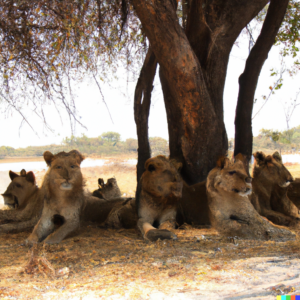
The key to getting the best results from DALL-E is to provide a clear and detailed description of what you want to see. The more specific and detailed your description, the more likely DALL-E is to generate an image that matches your vision.
For example, instead of just saying “a dog,” try to provide more information about the breed, size, and even the setting or background of the image. This will give DALL-E more context to work with and help it generate a more accurate image.
- Use proper grammar and syntax
DALL-E is a language model, which means it relies heavily on the syntax and structure of your text input to generate an image. To get the best results, it’s important to use proper grammar and syntax when writing your descriptions.
This means avoiding run-on sentences, fragments, and other common grammatical mistakes. It’s also important to use descriptive language and avoid using vague or ambiguous terms that could lead to inaccurate or unclear images.
- Experiment with different inputs
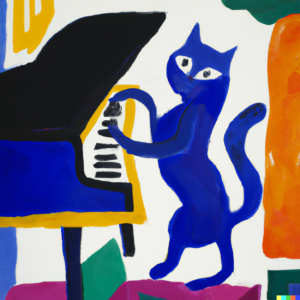
One of the great things about DALL-E is that it can generate images from a wide range of inputs, from simple descriptions to more complex sentences and even entire stories. Experimenting with different inputs can help you discover new and interesting ways to use the program.
For example, you could try inputting a short story or poem and see what kind of images DALL-E generates based on the narrative. Or you could try inputting a series of related descriptions and see how DALL-E connects them to create a larger image.
- Use image prompts for inspiration
If you’re not sure what to input into DALL-E, you can use image prompts to inspire your descriptions. Image prompts are pre-generated images that are similar to what you want to create, and they can help you come up with more specific and detailed descriptions.
For example, if you want to create an image of a mountain landscape, you could search for images of mountains and use them as inspiration for your description. This can help you come up with more descriptive language and give DALL-E a better idea of what you’re looking for.
- Don’t be afraid to experiment and have fun
Finally, it’s important to remember that DALL-E is a tool for creativity and experimentation. Don’t be afraid to try new things and see what kind of images you can create.
Whether you’re using DALL-E for artistic purposes, as a brainstorming tool, or just for fun, there are endless possibilities to explore. So get creative, experiment with different inputs and techniques, and see where DALL-E takes you.
DALL-E is an incredible tool that has the potential to revolutionize the way we think about image generation and artificial intelligence.
By following these tips and experimenting with different inputs and techniques, you can unlock the full potential of this amazing program and go beyond what stock photography can offer to create stunning images that were previously only possible in your imagination.
BTW, the lead image of this article was created by DALL-E using the following prompt, “an artist using dall-e on her laptop computer in a cafe”.
 DALL-E 2 Android requirement varies by device.
AndroidAppsReview’s Rating:
Find your next Android app at AndroidAppsReview.com
Assistance with this review was provided by ChatGPT based on specific prompting by the reviewer. Any input from ChatGPT was checked and edited prior to publication.
What do YOU think? We’d love to hear your comments, try it and let us know!